
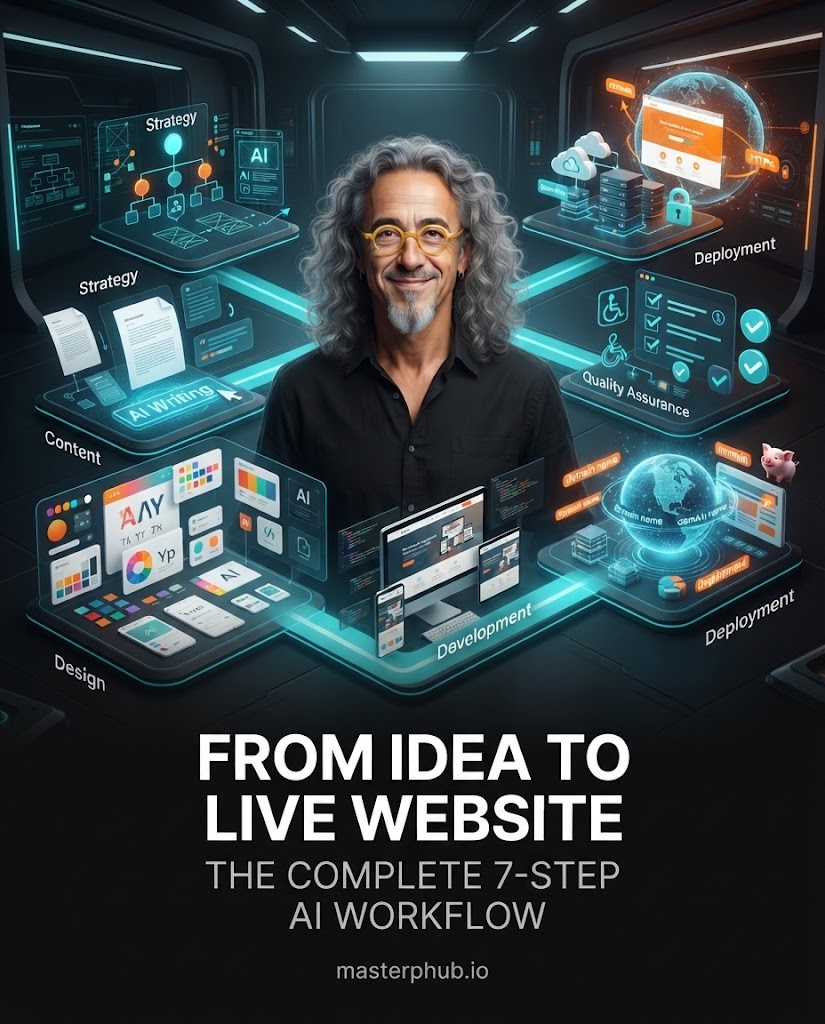
בקצרה: בונים אתר עם AI כשמחלקים את העבודה לשבעה שלבים: אסטרטגיה, תוכן, מערכת עיצוב, פיתוח, בדיקה, דומיין ופרסום. כל שלב מייצר תוצר שמזין את השלב הבא, ובודקים אותו לפני שממשיכים. כאן תמצאו שבעה פרומפטים מוכנים, אחד לכל שלב.
אתר שנראה מרשים בצילום מסך הוא לא בהכרח אתר שעובד. דף בית מלוטש לא מבטיח מסר ברור, ניווט נגיש, טפסים שעובדים, טעינה מהירה או עלייה תקינה לאוויר.
הפתרון הוא להשתמש ב-AI כחלק מתהליך מסודר, עם תוצרים ברורים, דרישות מפורשות ונקודות בדיקה. הפרומפטים מתאימים לעוזרי קוד, לבוני אתרים ולכלי AI אחרים. כשמשימה דורשת שירות חיצוני כמו GoDaddy או Netlify, צריך גם חשבון, הרשאות וחיבורים מתאימים.
הפרומפטים נשארים באנגלית, כי המודלים מבינים אותם היטב בשפה הזו ואפשר להעתיק אותם כמו שהם. את התוצאה אפשר לבקש בעברית.
הכלל המרכזי: כל שלב מסתיים בתוצר מפורש שהופך לקלט של השלב הבא. לפני שמתחילים, פותחים תיקיית פרויקט ושומרים בה את התוצר של כל שלב, את נכסי המותג, את התמונות ואת ההחלטות.
הטעות הנפוצה היא לקפוץ ישר לעיצוב. לפני קוד וכותרות, מגדירים מה האתר צריך להשיג: מה העסק מציע, למי הוא פונה, מה המבקרים צריכים להבין לפני שהם פועלים, ומה מבדל את העסק. המבנה נגזר מהמטרה העסקית ולא מתבנית. ממלאים את השדות בסוגריים לפני ההרצה.
Act as a senior website strategist, UX architect, and digital
product designer.

PROJECT
Business or project name: [BUSINESS NAME]
Business description: [WHAT THE BUSINESS DOES]
Primary website goal: [SALES, BOOKINGS, LEADS, EDUCATION,
PORTFOLIO, COMMUNITY, OR ANOTHER GOAL]
Target audience: [WHO THE WEBSITE SERVES]
Desired brand perception: [PREMIUM, FRIENDLY, MODERN,
CREATIVE, PROFESSIONAL, TRUSTWORTHY, OR OTHER]

YOUR TASK
Create a complete, practical website strategy that can be
used directly for content production, design, and development.
1. Define the website's primary objective and secondary goals.
2. Identify the target audience, its needs, pain points, and
   reasons to trust or hesitate.
3. Develop the core value proposition and positioning.
4. Create a sitemap with all essential and recommended pages.
5. For every page, explain its purpose, audience, key sections,
   required content, and primary call to action.
6. Map the ideal customer journey from the first visit to
   the desired conversion.
7. Recommend appropriate functionality, integrations, and forms.
8. Identify SEO requirements and AI-search opportunities.
9. Define measurable success criteria for the website.
10. Identify missing information, assumptions, risks, and
    decisions that must be resolved before development.

REQUIREMENTS
Do not invent business facts, testimonials, statistics,
certifications, or customer results.
Clearly distinguish confirmed information from assumptions.
Do not add pages merely to make the website appear larger.

OUTPUT
Website brief, audience and positioning, sitemap, page-by-page
section plans, customer journey, calls to action, functional
requirements, SEO requirements, open questions, and a final
approved project brief for the next stage.
נקודת בדיקה: לכל עמוד יש סיבה להתקיים, והמטרה, הקהל והמבנה ברורים.
אתר מעוצב היטב ייכשל אם המסר מעורפל. משפט כמו "אנחנו מעצימים עסקים" לא מסביר מה העסק עושה. תוכן טוב אומר מה מוצע, למי, איזו בעיה הוא פותר ומה הצעד הבא, והוא עקבי בכל העמודים.
Act as a senior website copywriter, conversion strategist,
brand messaging specialist, and SEO content editor.

PROJECT
Business or project name: [BUSINESS NAME]
Brand voice: [TONE]
Primary audience: [TARGET AUDIENCE]
Primary conversion goal: [DESIRED ACTION]

Use the approved strategy and sitemap from Step 1 as the
source of truth. Write the complete copy for every approved
page and section: page title and URL slug, SEO title and meta
description, headline and subheadline, section copy, benefits,
trust content based only on verified facts, calls to action,
FAQs, internal links, form labels and messages, and footer copy.

Do not invent testimonials, client names, awards, prices,
guarantees, statistics, or product capabilities.
Mark missing facts as [INFORMATION REQUIRED] instead of guessing.
Avoid filler and exaggerated claims.

OUTPUT
Copy organized by page and section, a content inventory,
a list of missing facts, and an approval checklist.
נקודת בדיקה: מאמתים כל טענה עסקית, מחיר ופרט קשר. כותרות SEO עוזרות אבל לא מבטיחות דירוג.
מערכת עיצוב מגדירה כללים שחוזרים בכל האתר: צבעים, טיפוגרפיה, ריווח, רוחב תוכן, כפתורים, מצבי טפסים, ניווט והתנהגות במובייל.
Act as a senior digital art director, UI designer, and design
systems specialist.

Business: [BUSINESS NAME]   Industry: [INDUSTRY]
Audience: [TARGET AUDIENCE]   Personality: [VISUAL STYLE]
Brand assets: [LOGO, IMAGES, COLOURS, OR NONE]

Using the approved strategy and copy, create an
implementation-ready design system: visual concept, full colour
palette with exact values and accessible contrast pairs, fonts
and type scale, spacing and grid, breakpoints, component specs
(navigation, buttons, cards, forms, alerts) with hover, focus,
disabled, loading and error states, image and icon rules,
accessibility requirements, and a design token sheet.

Avoid generic template aesthetics. Use real brand assets only.
Do not make desktop the only design priority.
נקודת בדיקה: לכל רכיב חשוב יש מצבים מוגדרים, וברור איך התפריט מתנהג בטלפון.
כאן האסטרטגיה, התוכן והעיצוב הופכים לאתר. בוחרים טכנולוגיה לפי הדרישות, סביבת האחסון והאנשים שיתחזקו את האתר.
Act as a senior frontend engineer, full-stack developer,
accessibility specialist, and product designer.

Inputs: approved strategy, copy, and design system,
available assets, preferred technology, hosting target.

Build the complete, responsive website: choose and explain the
architecture, implement every approved page and component,
forms with validation and error states, semantic accessible
HTML, metadata and structured data only from verified facts,
optimized assets, a 404 page, routing and environment variables,
and setup, build and deployment instructions.

Forms must perform the advertised action, not merely display
a success message. Never hardcode secrets or expose private
API keys in client-side code. No fake testimonials or
nonfunctional controls. Run the build and tests, fix errors,
and report anything that could not be tested.
נקודת בדיקה: הפרויקט נבנה בהצלחה ומסלול המשתמש המרכזי עובד בסביבת בדיקה. ממשק קדמי לא יוצר שרת מאובטח מעצמו.
באתרים שנבנו עם AI יש לעתים קרובות בעיות קטנות: כותרת שנשברת במובייל, כפתור שמוביל לעמוד הלא נכון, טופס שמקבל נתונים שגויים. מבקשים מה-AI לחפש חולשות ולא לשבח את עצמו. אם אפשר, נותנים למודל שני לבדוק.
Act as an independent senior product designer, frontend
engineer, accessibility reviewer, and conversion specialist.

Audit the website before publication. Do not assume it is
correct because an AI generated it. Review messaging, content,
visual design, responsive layouts, functionality, accessibility,
performance, SEO, security and privacy, and technical quality.

Classify each issue as Critical, High, Medium, or Low, with the
affected page, the problem, its impact, the fix, and how to
verify it. Fix confirmed issues, rerun the checks, and do not
claim a test passed unless it was actually performed.

OUTPUT
Findings, changes made, tests and actual results, remaining
issues, and a release-readiness assessment.
נקודת בדיקה: לא מעלים אתר עם בעיות קריטיות פתוחות באבטחה, בפונקציונליות או בתוכן.
דומיין טוב קצר, קל לאיות וקל להגייה. שם שה-AI מציע לא נחשב זמין עד שמקור רישום חי מאשר את זה.
Act as a domain research specialist and brand naming consultant.

Business: [BUSINESS NAME]   Market: [COUNTRY OR INTERNATIONAL]
Extensions: [.COM, .IO, .CO, OR OTHER]   Budget: [BUDGET]
Registrar: GoDaddy

Use the available GoDaddy integration or an authorized live
availability service. Generate at least 20 candidates, check
live availability, and return verified available options with
brand fit, quoted registration and renewal prices when
available, and premium or restriction flags.

Never claim a domain is available without a successful check.
Never invent prices. Do not purchase a domain automatically.
Wait for my explicit approval before registering a name.
לפי התיעוד של GoDaddy, מחזור החיים של דומיין כולל חיפוש, הצעת מחיר, רישום, בדיקת סטטוס, הגדרת DNS ואימות, ורישום מחייב את החשבון ואי אפשר לבטל אותו. לכן הפרומפט אוסר רכישה אוטומטית. פרטים ב-מדריך מחזור החיים של דומיין ב-GoDaddy.
לפי התיעוד של Netlify, אפשר לפרסם מתוך מאגר Git, לגרור תיקייה ל-Netlify Drop, להשתמש ב-Netlify CLI או לחבר כלי AI דרך Netlify MCP Server. לאתר שימשיך להשתנות, מאגר מחובר עם פרסום אוטומטי נותן תהליך קבוע וגרסאות תצוגה מקדימה.
Act as a senior deployment engineer and production QA engineer.

Project: [PROJECT LOCATION]   Hosting: Netlify
Domain: [DOMAIN NAME]   Build command: [IF KNOWN]
Publish directory: [IF KNOWN]   Integrations: [LIST]

1. Pre-deployment: confirm build settings and environment
   variables, check that no secrets are exposed, run the build.
2. Deployment: deploy a preview first, connect the custom
   domain, configure DNS without touching unrelated records,
   enable HTTPS, and set redirects.
3. Live testing: pages, links, buttons, forms, assets, mobile
   layout, routing on refresh, metadata, HTTPS, integrations.
4. Report: live URL, domain and HTTPS status, actual test
   results, remaining issues, and a rollback procedure.

Do not invent deployment results, test results, or live URLs.
Wait for explicit approval before irreversible or paid changes.
מדריכים רשמיים: יצירת פרויקט עם סוכן AI, פרסום אתר שנבנה בכלי AI, תיעוד הפרסום של Netlify.
אחרי כל שלב מבקשים "חבילת העברה": החלטות שאושרו, התוצר, הקבצים, שאלות פתוחות ומגבלות. כך שלב מאוחר לא מחליף בשקט החלטה שכבר אושרה. התוכן משלב 2 הוא התוכן שנכנס בשלב 4. סיסמאות ומפתחות API לא נכנסים לשום מסמך משותף. אישור אנושי נשאר בהחלטות שמשפיעות על העסק, התקציב, הנתונים והאתר החי.
צריך לדעת לתכנת? לא בהכרח. כלי AI כותבים קוד ומסבירים את השלבים, אבל אפליקציות מורכבות ופיצ'רים רגישים דורשים לפעמים עזרה מקצועית.
דומיין שה-AI הציע בטוח פנוי? לא. בודקים מול שירות רישום חי, כי זמינות ומחירים משתנים.
התהליך מבטיח הצלחה ב-SEO? לא. הוא בונה בסיס טכני ותוכני יציב, והדירוג תלוי גם בתחרות, באיכות התוכן ובמוניטין.
כבר יש לי אתר. מתחילים מפרומפט הבדיקה בשלב 5, שומרים את מה שעובד ומשפרים רק את מה שצריך.
הצעד הבא: מעתיקים את פרומפט 1, ממלאים את פרטי הפרויקט ויוצרים את מסמך האסטרטגיה. לא עוברים לעיצוב לפני שברור מה האתר צריך להשיג.
עוד כלים ופרומפטים מוכנים ב-masterphub.io