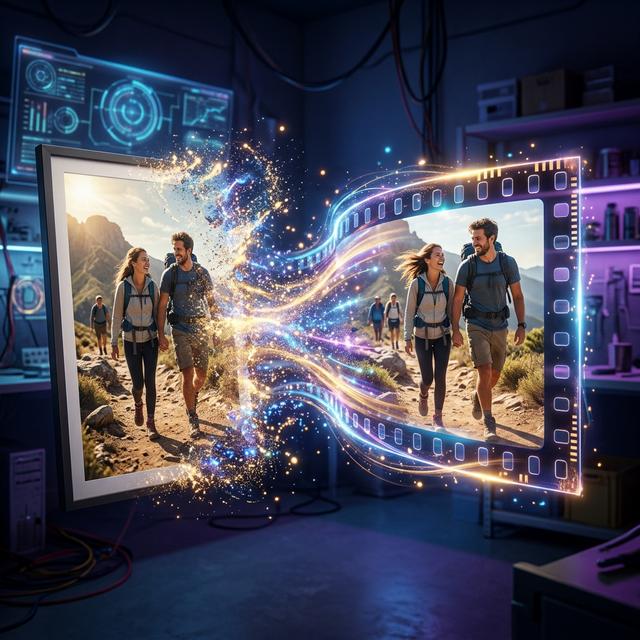
בקצרה: מעלים תמונה ל-Claude, מבקשים ממנו לפרק אותה לרכיבים שיכולים לזוז בנפרד, ואז לבנות מחדש את הסצנה כאנימציית HTML. משפרים את התנועה שינוי אחד בכל פעם. ארטיפקט HTML רגיל הוא לא קובץ וידאו, ולכן כשצריך MP4 מקליטים או מרנדרים אותו.
תמונה מספרת סיפור. תמונה שזזה גורמת לאנשים להפסיק לגלול. אפשר לקחת פורטרט, צילום מוצר, לוגו, אינפוגרפיקה או צילום מסך של אתר ולהוסיף לו תנועה: רקע שזז, אור שמשתנה, חלקיקים באוויר, טקסט שמופיע ברצף ותנועת מצלמה שיוצרת עומק.
לא חייבים מחולל וידאו ייעודי. Claude יכול לנתח תמונה ולבנות סצנה מונפשת עם HTML, CSS, JavaScript, SVG או Canvas. העיקרון: לא להתייחס לתמונה כאובייקט שטוח אחד, אלא לפרק אותה לרכיבים שזזים בנפרד ולהרכיב אותה מחדש כסצנה מתואמת.
הפרומפטים נשארים באנגלית, כי כך Claude מקבל הוראות טכניות מדויקות, ואפשר להעתיק אותם כמו שהם.
המדריך מתמקד באנימציה מבוססת קוד. ארטיפקט HTML רגיל הוא לא קובץ וידאו. לפי מרכז העזרה של Claude, קיימת תבנית Motion בגרסת בטא לתוכניות Team ו-Enterprise שמייצאת אנימציות כ-MP4. בשאר התוכניות צריך שלב של הקלטה או רינדור.
משתמשים במקור באיכות הכי גבוהה שיש. תמונה קטנה ודחוסה נותנת פחות פרטים, וטקסט חשוב צריך להיות קריא. בפורטרטים ובחומרי מותג מבקשים במפורש לשמור על זהות, טיפוגרפיה ופרופורציות.
לא קופצים ישר לאנימציה. קודם מבקשים לזהות מה יכול לזוז ומה צריך להישאר במקום.
Analyze the uploaded image as a professional motion designer and animation director.

Identify the visual elements that could be animated independently.

Describe:
1. Foreground, midground, and background.
2. Main subject and secondary objects.
3. Typography, logos, and graphic elements.
4. Lighting, shadows, reflections, and particles.
5. Environmental effects and potential camera movement.
6. Elements that must remain static to preserve the image.

For each proposed animation, explain the movement, direction, intensity, timing, and purpose.

Preserve the original composition, colors, proportions, and meaning.

Do not generate the animation yet. First provide a structured animation plan.
אדם שעומד ביער יכול לקבל תנועת מצלמה איטית, עלים שזזים בחזית וערפל ברקע, בזמן שהפנים נשארות יציבות. לעתים קרובות זו האנימציה המשכנעת ביותר.
Using your previous image analysis, build a polished, self-contained HTML animation artifact.

Requirements:
1. Recreate the uploaded image as faithfully as possible.
2. Preserve composition, colors, typography, proportions, and subject identity.
3. Animate individual elements independently rather than a generic zoom or pan.
4. Keep movement physically plausible and loop seamlessly where practical.
5. Include working Play, Pause, and Restart controls.
6. Avoid external dependencies where possible.

Do not claim to export an MP4 unless that functionality is actually implemented and supported.

Before finishing, verify that the animation runs, controls work, and no essential element leaves the frame.
אם הגרסה הראשונה לא עובדת, מבקשים לתקן את הקוד הקיים באותה שיחה.
Adapt the existing animation to a portrait 9:16 composition designed for a 1080 × 1920 output.

Keep essential visual content inside a centered safe area, allowing room for platform interface overlays near the top and bottom.

If the artifact cannot render at the target resolution directly, explain the limitation and specify a reliable method for producing the final video.
תצוגה אנכית בדפדפן היא לא וידאו ברזולוציה מלאה. בודקים את גודל הקובץ הסופי בנפרד.
Turn the uploaded photograph into a restrained, cinematic 2.5D parallax animation.

Separate the foreground, main subject, midground, and background into independent layers wherever possible.

Keep the person's face, facial features, body proportions, clothing, and identity stable and recognizable.

If the source image does not contain enough information to reconstruct hidden areas, use conservative masking and unobtrusive fills rather than inventing prominent details.

Deliver a working HTML animation artifact with Play, Pause, and Restart controls.
תמונה אחת לא מכילה את מה שמסתתר מאחורי האדם. כשיש פנים בתמונה, בודקים את התוצאה מקרוב, כי תנועה מבליטה עיוותים קטנים.
Turn the uploaded infographic into a polished 10-second animated explainer.

Preserve all original text, numbers, labels, chart values, colors, and relationships exactly.

Animate the headline first, then reveal sections in a logical sequence. Let arrows draw themselves and chart bars grow to their correct final values.

Do not fabricate statistics, alter data, or rewrite labels.
Create a polished 5-second logo reveal using the uploaded logo as the authoritative source.
Preserve the exact logo artwork, typography, colors, and proportions.
Finish with the complete, unchanged logo held clearly on screen.
Do not redraw, retype, distort, recolor, or add symbols to the logo.Transform the uploaded product image into a premium 8-second advertising scene using code-based animation.
Preserve the product's exact silhouette, colors, label, packaging, and visible branding.
Create a slow cinematic push-in, subtle lighting changes, and restrained reflections.
Do not invent product features or make unsupported performance claims.באינפוגרפיקה בודקים כל מספר מול המקור. בלוגו שחייב להישאר מדויק, משתמשים בקובץ PNG שקוף או SVG כשכבה קבועה ומנפישים את מה שמסביב. במוצר, אותו עיקרון: המוצר המקורי בחזית, והתנועה ברקע ובתאורה.
Convert the uploaded website or application screenshot into a polished animated product demonstration.

Animate a cursor moving to a relevant button, clicking it, and revealing a notification.

Do not invent real functionality or change visible copy. Clearly distinguish simulated interactions from actual functional behavior.
מתאים להדגמות ולמצגות. לחיצה מונפשת לא מוכיחה שהכפתור האמיתי עובד.
נשארים באותה שיחה ומבקשים שינוי אחד בכל פעם: תנועת מצלמה קולנועית יותר, תאוצה והאטה טבעיות, אווירה עם חלקיקים, לופ בלי קפיצה, או האטה של 30%.
Inspect the animation timeline and remove visible jumps between the final and initial frames. Match positions, scale, opacity, lighting, and camera state at the loop boundary. Verify the loop by playing it repeatedly.אם משנים מצלמה, תזמון ותאורה ביחד, קשה לדעת מה שיפר את התוצאה.
Prepare the existing animation for reliable video capture.

Define the intended duration, aspect ratio, frame rate, and start state.

Explain how to capture the animation at 1080 × 1920 and 30 frames per second.

Do not claim to have rendered or exported a video unless the file has actually been created and verified.Claude מייצר MP4 ישירות? ארטיפקט רגיל הוא דף HTML אינטראקטיבי. תבנית Motion, בבטא לתוכניות Team ו-Enterprise, מייצאת MP4. בשאר המקרים מקליטים או מרנדרים.
אפשר להנפיש בלי לשנות את הפנים? אפשר להקטין את הסיכון אם משאירים את הפנים יציבות ומנפישים את הרקע. אין הבטחה לשימור מושלם.
צריך לדעת לתכנת? לא בהכרח. Claude כותב את הקוד, ואתם בודקים את התוצאה ומבקשים תיקונים.
הצעד הבא: בוחרים תמונה אחת, מריצים את פרומפט הניתוח ובונים את הארטיפקט הראשון. מתחילים פשוט ומוסיפים מורכבות רק כשהיא משרתת את הסיפור.
עוד כלים ופרומפטים מוכנים ב-masterphub.io